
Let’s see how to generate HTML and JSON report using latest version of @badeball/cypress-cucumber-preprocessor
To generate HTML report which comes inbuilt with Cucumber-js, we need to enable html flag inside cypress-cucumber-preprocessor config, to do that add the below code snipped inside your package.json file

Now if we execute our cypress cucumber features, the HTML report will be generated in the root directory of the project with name cucumber-report.html
This HTML Report is the basic report and will look like below.

Note that the latest version of @badeball/cypress-cucumber-preprocessor does not produces any json report files by default. This is because this processor internally uses cucumber-js and the latest version of cucumber-js needs a json formatter in order to produce the json report.
The JSON formatter and how to install this formatter can be found in here
I have created a folder inside my cypress project and placed the JSON formatter like below

Once the JSON formatter is installed and ready to use, next is to pass the json formatter path in the cypress-cucumber-preprocessor configuration like below

Now if we execute our cypress features, we can see the json report file created under the output path
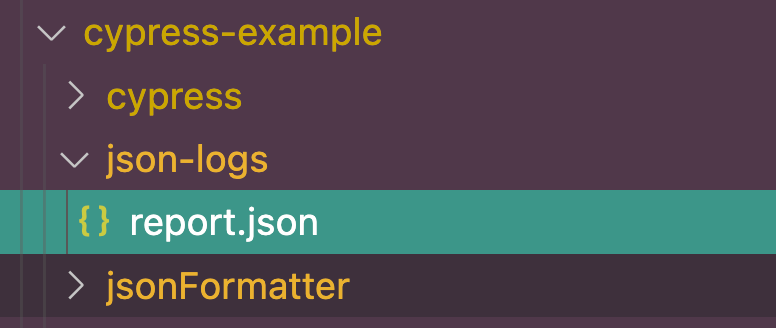
Once we have this json file, now we can use multiple-cucumber-html-reporter to generate the Cucumber html report using the generated JSON file
Once we install the multiple-cucumber-html-reporter , create a file called reporter.js in the root of the project directory and add below code snippet

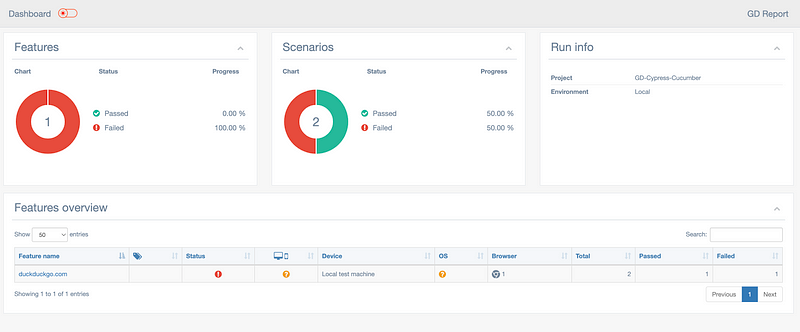
we can now execute this reporter.js file using command node reporter.js and this will generate HTML report for us in the reportPath mentioned
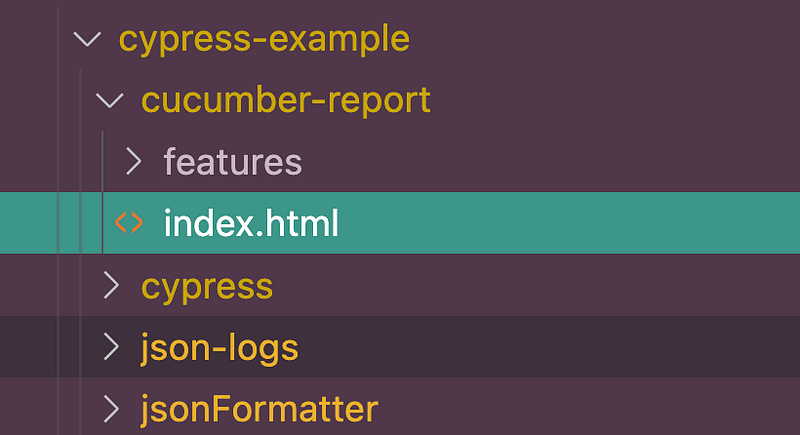
And the HTML report will look like below

 Test Automation Stack
Leave a comment